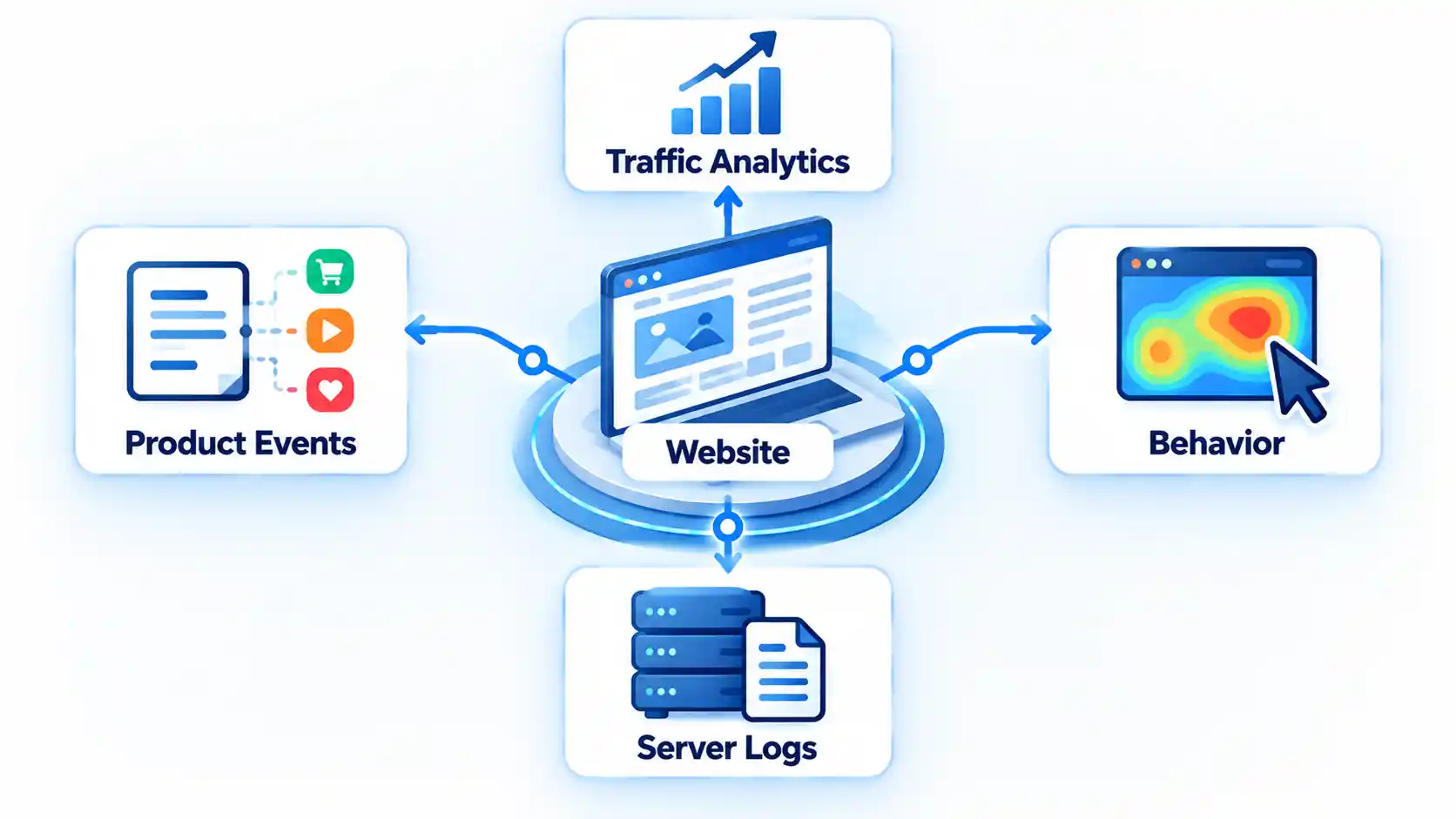
There are several capable free Google Analytics alternatives in 2026, but they do not all replace Google Analytics in the same way. Some focus on website traffic, others specialize in product events or session recordings, while several are free only when you host the software yourself.
The best choice depends on what you need to measure, how much traffic or event volume you generate, whether you want to manage a server, and how much control you need over analytics data.
Quick Take: Which Free Google Analytics Alternative Should You Choose?
If you mainly want conventional website statistics, tools such as Matomo, Umami and Cloudflare Web Analytics are more direct alternatives to Google Analytics. Microsoft Clarity is stronger when you need to see how people interact with individual pages through heatmaps and session recordings. PostHog, Mixpanel and Amplitude are built more around product analytics, where actions such as signups, button clicks and feature use matter as much as pageviews.
For a WordPress-only site, Independent Analytics avoids a separate analytics application by putting reporting inside WordPress. GoAccess takes a completely different approach by analyzing web-server access logs rather than depending primarily on a browser tracking script.
| Primary need | Good starting point | Why |
|---|---|---|
| Heatmaps and session recordings | Microsoft Clarity | Behavior-focused visual analytics |
| Full self-hosted web analytics | Matomo Community | Broad traditional analytics feature set |
| Simple lightweight analytics | Umami | Focused dashboard with hosted and self-hosted options |
| Product funnels and retention | Mixpanel or PostHog | Event-based product analysis |
| WordPress analytics | Independent Analytics | Runs inside WordPress |
| Server-log analytics | GoAccess | Reads web-server logs directly |
An event is an action recorded by an analytics platform, such as viewing a page, submitting a form or clicking a button. A pageview records a page being loaded or viewed. A session replay reconstructs how a visitor interacted with a page. These units are not interchangeable, which matters when comparing free-plan limits.
What Does “Free” Mean for Analytics Software?
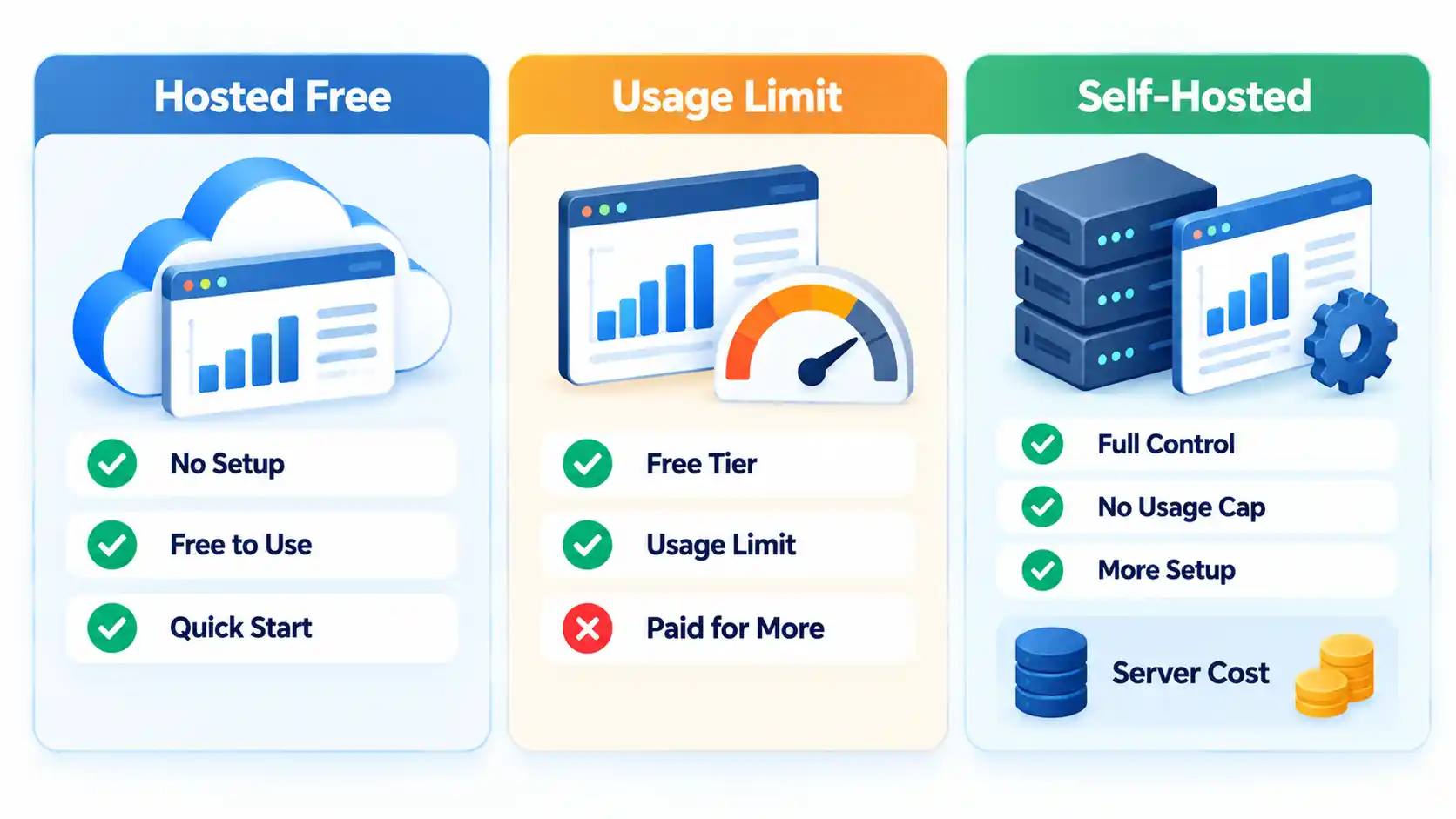
There are three common versions of “free” in web analytics. A hosted free plan runs on the vendor’s infrastructure at no recurring charge within stated limits. A usage-limited plan remains free until you exceed a traffic, event or retention allowance. Free self-hosted software has no basic software subscription, but you provide the server, storage, backups, updates and administration.
That last distinction is important. Self-hosted software may have no license fee while still costing money and time to operate. For example, Matomo’s current pricing documentation lists its Community edition as free forever with unlimited users and hits, but the Community edition runs on infrastructure you manage yourself.
Free-plan limits can also use different measurement units. Ten thousand pageviews are not necessarily equivalent to 10,000 events, visits or recorded sessions. Check the unit a vendor bills or limits before assuming one allowance is larger than another.
16 Best Free Google Analytics Alternatives
1. Microsoft Clarity: Best for Heatmaps and Session Recordings
Microsoft Clarity is especially useful when traffic numbers tell you that a page has a problem but do not tell you what visitors are doing on it. Its visual behavior tools can reveal clicking, scrolling and navigation patterns that are difficult to diagnose from aggregate traffic reports alone.
Microsoft describes Clarity as free, making it one of the more accessible choices for session recordings and heatmaps. It should be viewed as a behavioral analytics complement or alternative rather than a perfect one-for-one copy of every Google Analytics report.
Best for: publishers, landing pages, ecommerce interfaces and teams troubleshooting user experience problems.
2. Matomo Community: Best Full Self-Hosted Alternative
Matomo is one of the closest options to a conventional full web analytics platform. Its Community edition includes core reporting such as pageviews, events, campaigns, ecommerce tracking, segmentation and real-time reports while letting you host the platform on your own infrastructure.
The free Community edition currently supports unlimited users and hits. Some more specialized functions, including certain funnel, heatmap and session-recording capabilities, belong to paid bundles or plugins, so do not assume every feature advertised for Matomo Cloud or commercial editions is included in Community.
Best for: organizations that want broad web analytics and are comfortable managing the analytics server.
3. Umami: Best Lightweight General-Purpose Alternative
Umami aims for a simpler analytics experience than large marketing suites. It works well when you primarily need visits, traffic sources, pages and custom events without building a complex reporting environment.
Umami offers both cloud and self-hosted approaches. Its current Cloud documentation states that the Hobby plan is free and aimed at personal projects and lower-traffic websites. Teams expecting significant growth should check current usage limits before migrating because the hosted service meters activity.
Best for: blogs, documentation sites, portfolios and small teams that prefer a compact interface.
4. Plausible Community Edition: Best Simple Self-Hosted Reporting
Plausible Community Edition, or CE, is the free self-hosted branch of Plausible. It focuses on concise website reporting instead of exposing the much larger collection of reports and configuration options found in traditional enterprise analytics platforms.
According to the official Plausible Community Edition documentation, CE is open source under the AGPL and requires you to run and maintain your own server. The managed Plausible Cloud service is a separate commercial product, and some Cloud features are intentionally absent from Community Edition.
Best for: technically capable site owners who want a minimal self-hosted dashboard.
5. PostHog: Best for Developers and Product Analytics
PostHog is substantially different from a conventional blog traffic dashboard. It is designed around product behavior, so you can instrument events such as account creation, feature activation, onboarding completion and purchases, then examine how users move through those actions.
Its free allowances make it practical for smaller products, but PostHog consists of multiple analytics and product-development capabilities with separate usage meters. Teams should therefore estimate the events and other data they intend to collect rather than judging the plan only by website visits.
Best for: software-as-a-service products, applications and engineering-led teams.
6. Mixpanel: Best for Funnels and Retention
Mixpanel is another event-based analytics platform. Instead of centering analysis on pages alone, you can define actions that matter to a product and investigate conversion funnels, retention and user behavior around those actions.
The current Mixpanel Free plan supports up to 1 million events per month and includes a monthly session-replay allowance as well as core funnel and retention analysis. The main catch is that event-heavy applications can consume an allowance much faster than a content site would accumulate pageviews.
Best for: startups and product teams analyzing conversion and repeat usage.
7. Amplitude: Best High-Volume Free Product Analytics Tier
Amplitude combines product analytics with capabilities such as session replay and experimentation. Like Mixpanel, it makes more sense when you need to understand what users do inside a digital product than when you only need a report of top pages and referral sources.
Amplitude currently states that its Free plan includes 2 million events per month and 10,000 monthly session replays. Some advanced capabilities have additional limits, so the headline event allowance should not be interpreted as unlimited access to every product feature.
Best for: applications generating substantial event volume before needing a paid analytics plan.
8. Cloudflare Web Analytics: Best Lightweight Traffic and Performance View
Cloudflare Web Analytics focuses on website traffic and real-user page-performance information. You do not have to move a site’s DNS or put the site behind Cloudflare’s reverse proxy merely to add the analytics beacon.
Cloudflare’s Web Analytics documentation describes the service as free and explains that its JavaScript beacon collects visitor and Performance API measurements. It is a better fit for straightforward traffic visibility than for elaborate product funnels or behavioral session replay.
Best for: site owners who want a compact traffic dashboard with real-user performance information.
9. Simple Analytics: Best for Basic Hobby-Site Reporting
Simple Analytics concentrates on a small set of understandable website metrics rather than attempting to reproduce every report available in GA4. Its free hobby option supports multiple small sites, but historical dashboard access is limited.
As of the September 2026 verification date, the vendor’s free tier provides one user, up to five websites and only the latest month of analytics history. Older statistics are removed from the free dashboard, which makes the service more suitable for current monitoring than long-term historical analysis.
Best for: personal websites and small publishers that value simplicity over deep historical reporting.
10. GoatCounter: Best Donation-Supported Lightweight Analytics
GoatCounter is an open-source analytics platform that can be used through its hosted service or installed on your own infrastructure. It records useful website statistics without trying to become a broad marketing automation or product experimentation suite.
The hosted service is donation-supported and currently allows reasonable public usage rather than publishing a simple universal pageview quota. The project specifically indicates that very high-volume usage is better suited to self-hosting, so large publishers should not interpret “free” as unlimited hosted capacity.
Best for: personal sites, smaller organizations and open-source enthusiasts.
11. Cabin: Best for a Low-Traffic Hosted Site
Cabin offers a hosted free tier aimed at relatively small websites. The free plan currently covers one website and up to 10,000 pageviews per month, with 30 days of retained data.
That makes its limits easy to understand but relatively restrictive for a rapidly growing publication. If a site regularly crosses the monthly pageview ceiling or needs long-term historical comparisons, the free tier becomes less appropriate.
Best for: low-traffic websites that want a straightforward hosted dashboard.
12. Clicky: Best Traditional Real-Time Analytics for a Small Site
Clicky is one of the more traditional products in this list. It provides website statistics and real-time visitor information rather than approaching analytics primarily as a product-development platform.
After its premium trial ends, the current free plan is limited to one website with a maximum of 3,000 daily pageviews and offers a restricted feature set. That ceiling makes Clicky more practical for smaller sites than for a high-traffic publisher.
Best for: small websites that prioritize real-time visitor reporting.
13. Statcounter: Best for Straightforward Visitor Statistics
Statcounter has been providing traditional website traffic reporting for many years. Its Basic plan remains free and includes traffic trend charts, a reporting dashboard, real-time visitor feeds and basic email reports.
The major free-plan limitation is detailed-data retention. The current Basic tier provides only 14 days of detailed retention, although summary trends can remain useful over longer periods. It is therefore better for routine traffic monitoring than intensive long-term visitor-level analysis.
Best for: site owners who want recognizable, conventional web statistics without a complex product analytics setup.
14. Independent Analytics: Best Free WordPress-Native Alternative
WordPress users have an option that does not require a separate analytics dashboard. The free Independent Analytics plugin stores its analytics data with the WordPress site and displays reports directly in the WordPress admin area. The WordPress.org plugin listing states that the free version does not impose tracking-view limits, although additional capabilities are available in its Pro product.

For WordPress sites, Independent Analytics keeps reporting inside the WordPress environment rather than requiring a separate hosted analytics dashboard. It is naturally a narrower choice than a platform built to track websites and applications across many different technology stacks.
Best for: WordPress publishers who want analytics integrated directly into their existing administration interface.
15. Open Web Analytics: Best Extensible Self-Hosted Framework
Open Web Analytics, commonly shortened to OWA, is a free open-source analytics server with a JavaScript tracking client. It can record visitors, pageviews, ecommerce transactions and custom actions while also providing functionality such as heatmaps and DOM-stream interaction recordings.
OWA is more hands-on than a hosted analytics service. Installation, updates, security and infrastructure are your responsibility, which makes it more appropriate for developers and administrators who deliberately want a configurable self-hosted system.
Best for: technically experienced users who want an extensible open-source analytics installation.
16. GoAccess: Best for Web-Server Log Analytics
GoAccess is fundamentally different from the browser-based products above. It analyzes HTTP access logs produced by servers such as Nginx or Apache and turns those records into real-time terminal or browser-based reports.
This approach is useful for administrators because server logs can reveal requests, bots, response patterns and traffic even when a conventional analytics script is absent or blocked. However, logs cannot automatically reproduce every browser-side interaction that an event tracker can capture, so GoAccess should not be treated as a direct feature-for-feature replacement for GA4.
Best for: developers, system administrators and sites that want analytics directly from server logs.
Free Google Analytics Alternatives Compared
The most useful comparison is not simply which service allows the largest number. You should compare the hosting model, the type of measurement and the restriction most likely to affect your website or application.
| Tool | Free model | Best for | Hosting | Main measurement | Session replay | Main free limitation |
|---|---|---|---|---|---|---|
| Microsoft Clarity | Free hosted | Behavior analysis | Vendor hosted | Sessions and interactions | Yes | Not a full GA4-style reporting replacement |
| Matomo Community | Free self-hosted software | Full web analytics | Self-hosted | Hits and events | Not in base Community package | You manage infrastructure |
| Umami | Free hosted tier / self-hosted | Simple analytics | Both | Website hits and events | No | Hosted-plan usage limits |
| Plausible CE | Free self-hosted software | Simple traffic analytics | Self-hosted | Pageviews and events | No | You manage infrastructure; some Cloud features excluded |
| PostHog | Usage-based free allowance | Product analytics | Vendor hosted | Events | Available | Separate usage meters |
| Mixpanel | Free hosted tier | Funnels and retention | Vendor hosted | Events | Yes | 1 million events per month on Free |
| Amplitude | Free hosted tier | Product analytics | Vendor hosted | Events | Yes | Some capabilities have additional free limits |
| Cloudflare Web Analytics | Free hosted | Traffic and performance | Vendor hosted | Pageviews and visitors | No | Less suited to complex product analysis |
| Simple Analytics | Free hobby tier | Simple website statistics | Vendor hosted | Pageviews | No | 30-day free-plan history |
| GoatCounter | Donation-supported hosted / self-hosted | Lightweight analytics | Both | Pageviews and visits | No | Hosted use subject to reasonable-use limits |
| Cabin | Free hosted tier | Small websites | Vendor hosted | Pageviews | No | 10,000 pageviews per month and 30-day retention |
| Clicky | Free hosted tier | Real-time traffic analytics | Vendor hosted | Pageviews and visitors | Limited by plan | 1 site and 3,000 daily pageviews |
| Statcounter | Free Basic plan | Traditional web statistics | Vendor hosted | Sessions and pageviews | Plan-dependent | 14-day detailed-data retention |
| Independent Analytics | Free WordPress plugin | WordPress analytics | Your WordPress server | Views and visitors | No | WordPress only; premium functions sold separately |
| Open Web Analytics | Free open-source software | Extensible self-hosted analytics | Self-hosted | Pageviews, visitors and actions | Yes, DOM-stream based | You operate and maintain it |
| GoAccess | Free open-source software | Server logs | Self-hosted/local | HTTP requests | No | Does not capture all browser-side behavior |
The table also illustrates why event limits should not be compared directly with pageview limits. A single page can generate many product events, while a pageview-oriented tool may record only one primary view for the same visit.
How to Choose the Right Google Analytics Alternative
Start with the question you actually want the analytics system to answer. Choosing by feature count alone often leads to installing a complex platform and then using only two reports.
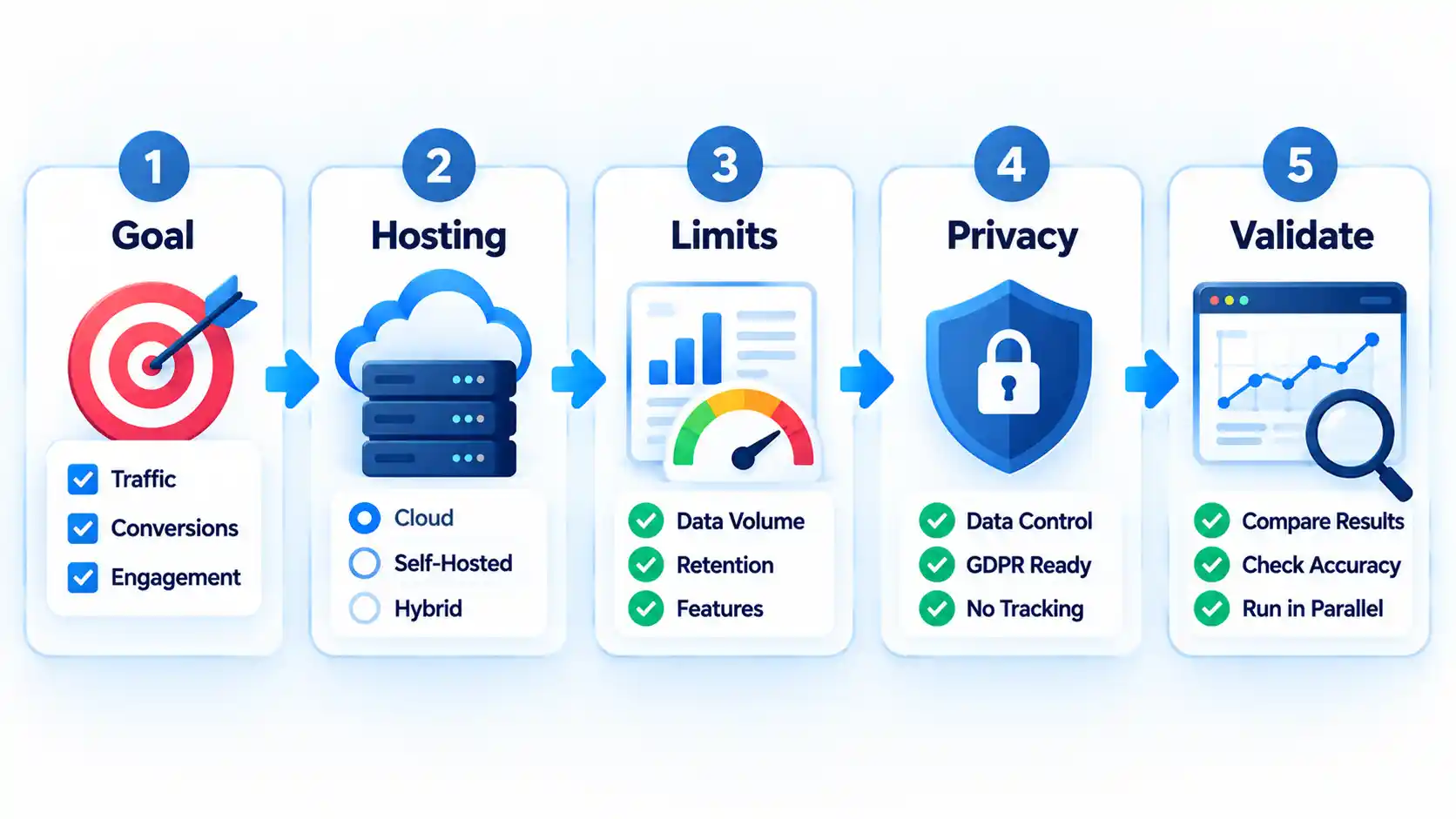
- Define your measurement goal. A publisher may primarily need traffic sources, popular pages and campaign performance. A software company may care more about activation, funnels, feature adoption and retention.
- Choose hosted or self-hosted. Hosted services remove most infrastructure work. Self-hosting gives you more operational control but also makes you responsible for installation, security, updates, capacity and backups.
- Check the correct usage meter. Look at events, pageviews, hits, sessions, sites and retention separately. A generous-looking event allowance can disappear quickly if you track dozens of interactions per user.
- Evaluate privacy requirements in context. A privacy-focused product does not automatically remove every legal or consent obligation in every jurisdiction. Review what the tool collects, your configuration, your audience and the rules that apply to your organization.
- Validate before replacing your existing analytics. Run the new system alongside your current implementation for a reasonable comparison period. Expect differences because tools can define sessions, visitors, bots, attribution and events differently.
Analytics is most useful when it leads to a concrete decision. For example, identifying a high-exit landing page matters more when you can connect that finding to page speed, navigation or conversion performance. Broader advanced analytics can then connect website measurements to wider business questions.
If paid advertising is a major acquisition channel, analytics also needs to help separate traffic from actual business outcomes. Accurate attribution and conversion measurement are part of understanding digital advertising ROI, not just counting clicks.
Where Google Analytics Still Makes Sense
An alternative is not automatically better simply because it is simpler or self-hosted. Google Analytics remains useful for organizations that depend heavily on Google’s advertising and marketing ecosystem, need GA4-specific integrations, or already have mature reporting workflows built around its event model.
GA4 can also support more sophisticated analysis than a lightweight traffic counter. Replacing it with a simpler service can remove complexity, but it can also remove reports or integrations your marketing team relies on.
In other cases, using two complementary tools is more sensible than choosing one winner. A site might use GA4 for acquisition and advertising measurement while using Clarity for behavioral troubleshooting. A software product might use a lightweight web analytics service for marketing pages and a product analytics platform for authenticated application activity.
The objective is therefore not to remove Google Analytics by default. It is to choose the smallest analytics stack that answers the questions your team actually uses.
Key Takeaways
- A free Google Analytics alternative may be a hosted free service, a usage-limited free tier or free self-hosted software.
- Self-hosted software avoids a basic software subscription but still requires infrastructure, updates, security and maintenance.
- Microsoft Clarity is particularly useful for heatmaps and session recordings, while Matomo is a broader self-hosted analytics platform.
- Mixpanel, PostHog and Amplitude are primarily product analytics tools and should not be evaluated as simple pageview counters.
- Pageviews, hits, sessions and events measure different things, so free-plan quotas cannot be compared as though they were the same unit.
- Run old and new analytics implementations in parallel before using the replacement as the basis for historical comparisons.
Frequently Asked Questions
Is there a completely free Google Analytics alternative with no traffic limit?
Yes, but the clearest examples are generally self-hosted. Matomo Community, for instance, lists unlimited users and hits for its free Community edition. That does not mean operating it has zero cost because you still need suitable hosting, storage, maintenance and administration. Hosted free services are more likely to impose traffic, event, site or retention limits.
Can I use two web analytics tools at the same time?
Yes. Running two systems in parallel can be useful during migration or when the tools serve different jobs. For example, one platform can handle traffic acquisition while another provides session replay. Test the performance impact of adding multiple browser scripts, and do not expect the two dashboards to report identical visitor or session counts.
Do self-hosted analytics tools still cost money to run?
Usually. “Free self-hosted” normally refers to the software license. You may still pay for a virtual private server, database storage, backups, bandwidth, monitoring or staff time. For a technically experienced team those costs may be acceptable, while a smaller site may find a limited hosted plan easier to operate.
Why do Google Analytics and another analytics tool show different visitor numbers?
Analytics platforms can use different definitions, identifiers, bot filters, time zones, consent behavior, session rules and tracking methods. Browser extensions and content blockers can also prevent one tracker from loading while another measurement method still records the request. Small discrepancies are therefore normal; very large differences should trigger an implementation audit.
What is the best free Google Analytics alternative for WordPress?
Independent Analytics is a strong WordPress-specific option because its reporting is built directly into WordPress and its free plugin does not impose a tracked-view ceiling. Matomo and other self-hosted tools can also work with WordPress, but they make more sense when you need an analytics system that can extend beyond a single WordPress installation.

💬 Comments